Simple web analytics
Simple web analytics answers four questions on one page: how many real people visited, where they came from, what they did, and whether that's going up or down. If you have to build a report or read a manual to get those answers, it isn't simple.
What it should show
- Real people, not bots. A large share of web traffic is automated. Good analytics removes it, and lets you see what was removed.
- Sources that make sense today: Google, social, links, newsletters, and AI assistants like ChatGPT, Claude and Perplexity as a source of their own.
- Searches: what people searched on Google and Bing before they found you.
- Top pages and goals: which pages people read, and whether they did the thing you care about (signed up, bought, stayed).
- Change, explained: not just "visitors are up 38%", but why.
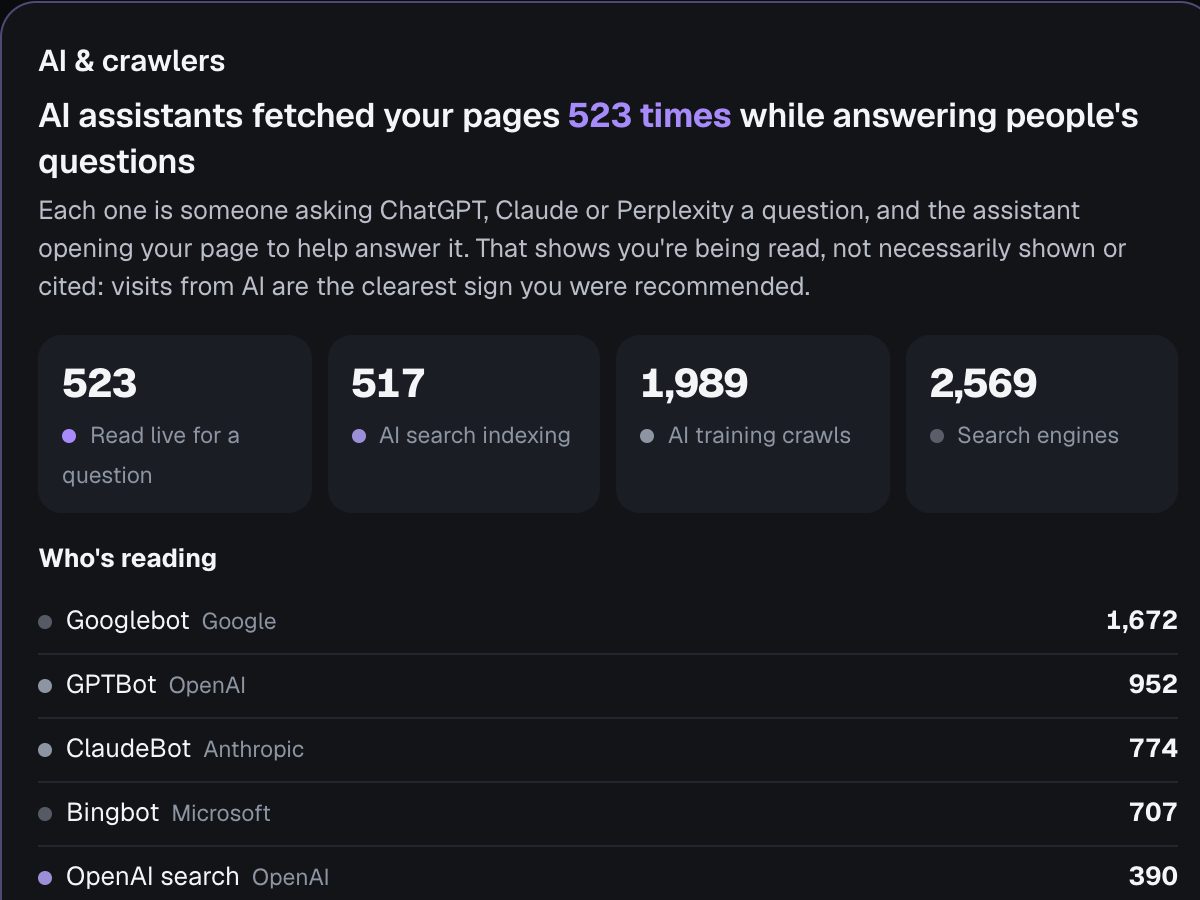
What it should leave out
- Cookies and banners. You can count visits well without tracking individuals. No cookies means no consent banner for analytics in most places.
- Personal data. No IP addresses stored, no profiles across sites.
- Setup projects. One line of code (or a prompt pasted into your AI website builder), and it works.
Who it's for
Founders, creators, small businesses and anyone who builds with tools like Lovable, Bolt, Webflow or WordPress, and wants to know what's working without becoming an analyst. If you run complex ad campaigns with a marketing team, a heavier tool may still be worth its complexity.
How Seebly keeps it simple
- Everything on one page, with an AI summary at the top: what changed, and why.
- "What to do next": a few specific actions from your own numbers, each with a prompt you can paste into your AI tool.
- Ask anything in plain English, such as "where did my visitors come from last week?"
- Free for one site. Paid plans start at $5 a month.
Try it on your own site.Free for one site, set up in about a minute, no cookies.Start free See the live demo
Last updated 1 November 2026. More guides: Google Analytics alternatives · Do you need a cookie banner for analytics? · What is a good bounce rate? · Google Search Console in your analytics · All guides